

GoHighLevel Email Marketing: Setup, Features and What It's Actually Good For
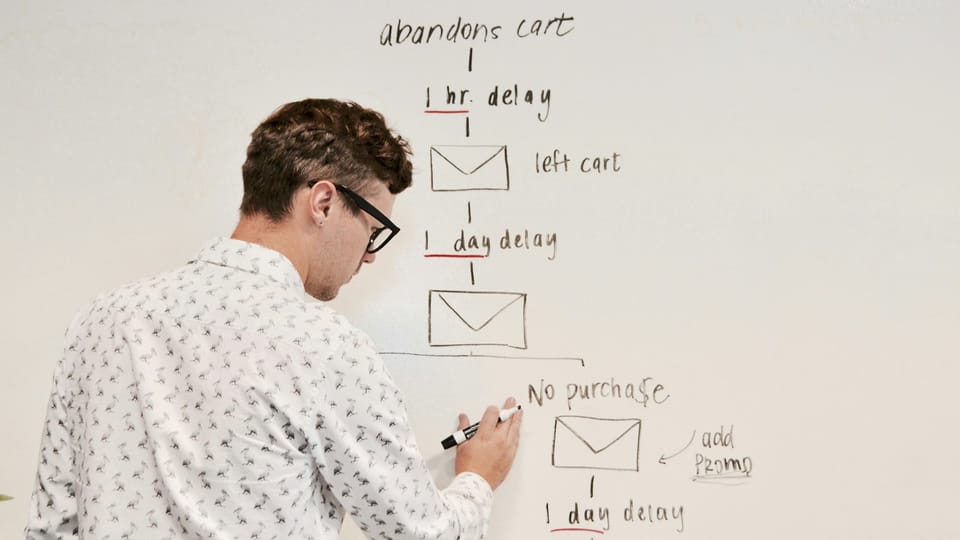
GoHighLevel includes email marketing as one of several channels inside the platform - alongside SMS, voicemail drops, two-way conversations and social media messaging. It's not a dedicated email platform like MailerLite or ActiveCampaign. It's an email channel inside a complete marketing and CRM system.
Whether that's an advantage or a limitation depends entirely on what you're trying to do.
For agencies and service businesses sending marketing emails to existing contacts - lead nurture sequences, client onboarding drips, post-service follow-ups, seasonal campaigns - GHL's email suite is capable and well-integrated with the rest of the platform. Contacts that open an email can be moved in a CRM pipeline, sent an SMS, or booked into a calendar - all automatically, all in one system.
For cold email outreach - sending unsolicited emails to purchased or scraped lists - GHL is the wrong tool. There's no built-in email warmup, shared sending infrastructure creates deliverability risk, and the platform is not designed for this use case. Reddit is right about this specific limitation.
This guide covers what GHL email marketing actually does, how to set it up correctly and the situations where it makes sense vs where you need a dedicated tool.
✅ HighLevel 30-Day Free Trial
TLDR
- GoHighLevel includes a full email marketing suite: drag-and-drop campaigns, automation sequences, template library and list management
- Email in GHL is one channel inside a larger CRM and marketing system - contacts that open emails can trigger SMS, pipeline moves, booking links and more
- Proper setup requires domain authentication (SPF, DKIM, DMARC) and A2P 10DLC for SMS - skip this and deliverability will suffer
- Not built for cold email outreach - no warmup tools, and cold outreach is against GHL's terms of service
- Best use cases: lead nurture sequences, client onboarding, post-service campaigns, seasonal reactivation, referral requests
- 30-day free trial available
Skip trial and error.
Follow a proven onboarding sequence used by agencies.
What GoHighLevel Email Marketing Includes
Campaigns (One-Time Broadcasts)
Campaigns are one-time email sends to a list or segment. Use them for:
- Announcements and news
- Promotional offers
- Seasonal campaigns (spring, year-end, etc.)
- Reactivation campaigns to past clients
- Event invitations
The campaign builder is drag-and-drop. You can start from a blank canvas or use a template from the GHL library. Sections, columns, images, buttons, social links and custom code blocks are all available. Subject line, preview text, from name and from address are configured per campaign. Test sends are available before broadcasting.
Campaigns are sent to a contact list or to a smart list (a dynamic segment filtered by tags, custom fields, pipeline stage or contact activity). You can exclude segments from a send - useful for suppressing recent purchasers from a promotional campaign.
Scheduling is available - set the send date and time in advance. Campaigns go out at the scheduled time regardless of whether anyone is logged in.
Email Automations (Sequences Inside Workflows)
This is where GHL email marketing becomes genuinely powerful compared to standalone email tools.
Email automation in GHL lives inside the Workflow builder - the same automation canvas that handles SMS, voicemail drops, pipeline stage changes, internal tasks, webhook calls and booking triggers. This means your email automation isn't isolated in a separate email sequence editor. It's part of a full multi-channel automation.
Practical example - a lead fills out a website form:
- Email at 0 minutes: "Thanks for reaching out - here's what to expect next." (Email action in Workflow)
- SMS at 2 minutes: "Hey [Name] - just saw your message. Happy to chat this week." (SMS action in Workflow)
- Wait 2 hours: if no reply
- Email at 2 hours: "Quick follow-up - here's a link to book a call whenever works for you." (Email action)
- If/Else - if booked: move to "Consultation Booked" pipeline stage; if not: continue sequence
- Email at 24 hours: social proof email with case studies
This sequence - email, SMS, booking link, pipeline move, conditional logic - is built in one workflow canvas. In a dedicated email tool like MailerLite, you'd build the email sequence there and then use Zapier to trigger the SMS and pipeline move in separate tools.
Template Library
GoHighLevel includes a library of pre-built email templates across categories - welcome sequences, promotional, newsletter, e-commerce, service business and more. Templates are fully editable. You can build your own templates and save them for reuse across sub-accounts.
Custom HTML templates are supported for agencies that have branded email templates they want to import. The template editor saves styling presets so you can maintain consistent branding across campaigns without resetting every time.
List and Segment Management
GHL contacts are managed centrally in the Contacts module. Email list segmentation works through:
- Tags - add or remove tags manually or via automation. Filter sends to tagged segments.
- Smart Lists - dynamic segments built on any combination of contact fields, tags, pipeline stage, last activity date, custom values, or workflow history. Automatically update as contacts match or stop matching criteria.
- Campaign suppressions - exclude specific lists or tags from any campaign send.
Unsubscribes are handled automatically - contacts who unsubscribe are flagged and excluded from future sends. This is managed per-location (sub-account) in agency setups.
Reporting and Analytics
Per-campaign metrics: sent, delivered, opens, open rate, clicks, click rate, bounces, unsubscribes. No heatmaps or individual contact-level click tracking by default, but engagement data feeds back into contact records and can trigger automation (e.g., if a contact opens but doesn't click, fire a follow-up SMS).
The Deliverability Question - And the Cold Email Limitation
The Reddit thread at position 4 for this keyword says "GHL is really bad for email marketing." It's worth addressing directly.
The thread is specifically about cold email deliverability - sending to purchased or scraped lists using GHL as the sending infrastructure. For this use case, the criticism is accurate:
- GHL has no built-in email warmup tool
- Cold outreach to purchased lists violates GHL's terms of service
- Shared sending infrastructure on a new account has no warmup reputation
Cold email is not what GHL email marketing is designed for. If you need cold email outreach, use a dedicated cold email tool (Instantly, Smartlead, etc.) alongside GHL.
For marketing email to opted-in contacts - leads from your forms, existing clients, past customers - GHL's deliverability is comparable to other ESPs when configured correctly. The critical setup steps:
Deliverability Setup Checklist
1. Authenticate your sending domain
This is the most important step and the one most people skip.
- Settings → Email Services → Add Sending Domain
- Add the provided SPF record to your DNS
- Add the provided DKIM record to your DNS
- Add a DMARC record (start with
p=noneto monitor, move top=quarantineonce verified) - Verify records in GHL after DNS propagation (24–48 hours)
Without domain authentication, your emails are far more likely to land in spam - regardless of which platform you use.
2. Use a subdomain for sending
Don't authenticate your root domain (yourdomain.com) for email sending. Use a subdomain: mail.yourdomain.com or email.yourdomain.com. This isolates your sending reputation from your main domain.
3. Warm up your sending volume
Don't send 5,000 emails in your first week. Start with small batches to your most engaged contacts, then increase volume gradually over 4–6 weeks. GHL's scheduled send feature lets you spread campaigns across time windows.
4. Keep your list clean
Remove hard bounces immediately (GHL flags these automatically). Suppress contacts who haven't opened in 6+ months or send them a re-engagement campaign before removing them from your active list. High bounce rates tank deliverability.
5. Monitor your sending reputation
Use Google Postmaster Tools (free) to track domain reputation and inbox placement rates for Gmail recipients. Set up email address for receiving bounce and complaint notifications in GHL Settings → Email Services.
GHL Email vs Dedicated Email Tools
| Feature | GoHighLevel | MailerLite | ActiveCampaign | Mailchimp |
|---|---|---|---|---|
| Drag-and-drop campaign builder | Yes | Yes | Yes | Yes |
| Email automation sequences | Yes (in Workflows) | Yes | Yes (advanced) | Yes (basic) |
| SMS + email in same automation | Yes | No | No | No |
| CRM pipeline integration | Yes (native) | No | Yes (limited) | No |
| Booking calendar triggers | Yes | No | No | No |
| Two-way conversation inbox | Yes | No | No | No |
| Review request automation | Yes | No | No | No |
| Multi-client sub-accounts | Yes | No | No | No |
| White-label for agencies | Yes | No | No | No |
| Email warmup tools | No | No | No | No |
| Cold email features | No | No | No | No |
| Advanced e-commerce segmentation | No | Limited | Yes | Yes (Shopify) |
| Monthly cost | $97+ | $10–$50+ | $15–$159+ | $20–$350+ |
The honest summary: GHL's email marketing is not the most powerful email-only tool on the market. For advanced e-commerce segmentation, creator newsletter monetization or sophisticated conditional email logic, MailerLite, ActiveCampaign or Klaviyo do specific things better.
The advantage is integration. When email is one channel inside your full marketing and CRM platform - not a separate subscription - the automation possibilities expand significantly and the tool count drops.
Best Use Cases for GHL Email Marketing
Lead nurture sequences
New lead comes in via website form → 5-email sequence over 10 days, alternating with SMS touchpoints, built in one workflow. Each email personalised with custom contact fields (first name, business type, service they enquired about).
Client onboarding drips
New client signed → automatic welcome email sequence over the first 30 days: what to expect, key contacts, how to reach support, milestone updates. Pipeline stage change triggers the sequence automatically when a deal is marked Won.
Post-service follow-ups
Job completed → 3-day delay → review request email and SMS. 30-day delay → referral ask email. Annual anniversary → check-in email. All triggered from pipeline stage changes in the CRM.
Seasonal campaigns
Campaign sends to smart-list segments (e.g., all contacts tagged "past client" who haven't booked in 6+ months) for spring promotions, year-end check-ins or holiday messages. Scheduled in advance, suppressing recent buyers automatically.
Referral and reactivation
Quarterly reactivation campaigns to contacts inactive for 90+ days. Annual referral asks to satisfied past clients. Smart lists keep these segments current without manual updating.
5-Step Email Setup in GoHighLevel
- Authenticate your sending domain - Settings → Email Services → Add Sending Domain → Add DNS records → Verify. Non-negotiable first step.
- Set your From Name and Reply-To - Settings → Business Info → configure the default sender identity. Can be customized per sub-account in agency setups.
- Import and tag your contacts - Contacts → Import CSV. Map fields. Add tags at import to segment by source, type or status.
- Build your first email campaign - Marketing → Emails → Create New Campaign → drag-and-drop builder → preview → test send → schedule.
- Build a lead nurture workflow - Automation → Create Workflow → add trigger (Form Submitted or Contact Tag Added) → add Email action → add Wait step → add next Email action → publish.
GoHighLevel Email Marketing FAQ
Is GoHighLevel good for email marketing? For marketing email to opted-in contacts - lead nurture, client onboarding, post-service follow-up and seasonal campaigns - yes. The integration with SMS, CRM pipelines and booking is unique to GHL and makes multi-channel automation significantly simpler. For cold email outreach or advanced e-commerce segmentation, dedicated tools are better suited.
Does GoHighLevel have good email deliverability? When properly configured (domain authentication via SPF/DKIM/DMARC, list hygiene, gradual warmup), deliverability is comparable to other marketing email platforms for opted-in list sending. The Reddit criticism about deliverability is specifically about cold email - which GHL is not designed for and which violates its terms of service.
Can GoHighLevel send bulk emails? Yes. GHL can send to large lists via scheduled campaigns. For high volumes (100,000+ sends/month), configure a dedicated sending domain and monitor reputation actively via Google Postmaster Tools.
How do I set up email in GoHighLevel? Start with Settings → Email Services → Add Sending Domain. Add SPF, DKIM and DMARC records to your DNS provider. Wait 24–48 hours for propagation. Verify in GHL. Then configure your From Name and start building campaigns and workflows.
Does GoHighLevel have email templates? Yes. GHL includes a template library with pre-built designs across categories. Templates are fully editable in the drag-and-drop builder. Custom HTML templates can also be imported.
Can GoHighLevel do email automation? Yes - email automation in GHL runs inside the Workflow builder alongside SMS, voicemail, pipeline moves and booking triggers. This multi-channel automation in one canvas is one of GHL's strongest differentiators from dedicated email tools.
How much does GoHighLevel email marketing cost? Email is included in all GHL plans starting at $97/month. Email sending costs are calculated on usage - approximately $0.001 per email. Domain authentication setup is free.
Internal Links
- Mailchimp Alternative for Agencies and SMBs: Why GoHighLevel Does More for Less
- ActiveCampaign Alternative for Agencies: Why GoHighLevel Wins on Flat Pricing
- Marketing Automation for Agencies: The Tool That Runs Your Ops and Becomes Your Product
- Marketing Automation for Small Business: Replace 5 Tools with One at $97/mo
- GoHighLevel for Small Business: What It Does and Whether $97/mo Is Worth It
✅ HighLevel 30-Day Free Trial
Claim Your Free Month
What's New in GoHighLevel
Automated Email List Segmentation (February 2026)
GoHighLevel now supports automated email list segmentation with smart list improvements - contacts are dynamically added or removed from segments based on engagement behaviour, tag changes, pipeline stage and custom field updates. For email campaigns, this means segments stay accurate without manual list management.
Multi-Language Call Transcription (March 2026)
Voice AI now transcribes calls in 10 languages with automatic language detection - useful for agencies managing clients across multilingual markets where call follow-up emails need to match the language of the conversation.