

GoHighLevel for Cleaning Businesses (2026): Booking, Reminders, Payments and Rebooking
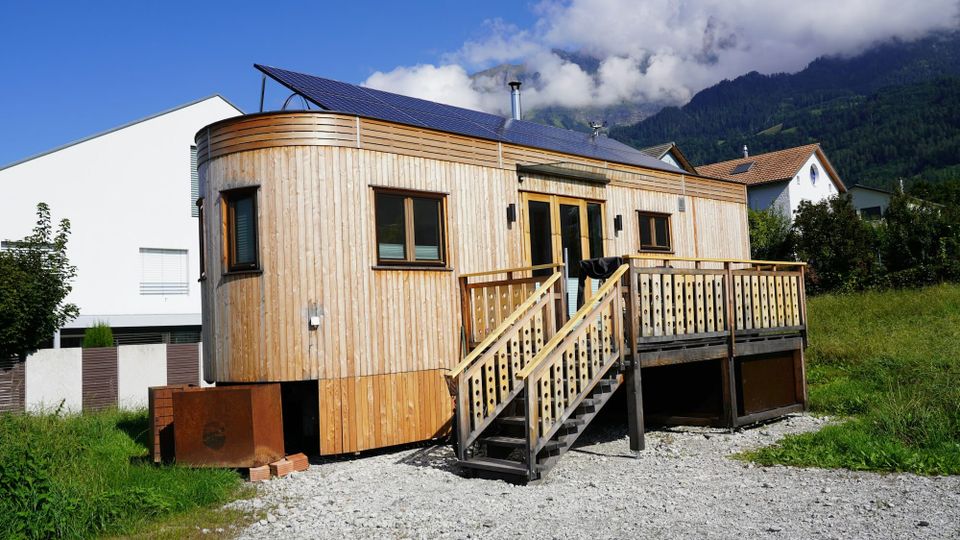
GoHighLevel works well for cleaning businesses, whether you clean homes, offices or mobile homes. It handles online booking, automatic reminders, recurring service schedules, invoicing and payments, review requests and rebooking campaigns in one account from $97 a month. Where it falls short is field dispatch: route planning and crew GPS still belong in a job-management tool such as ZenMaid or Jobber, with GoHighLevel running the marketing and follow-up around it.
Disclosure: I am an independent entity from HighLevel. I am not an agent or employee of HighLevel and have no authority to make binding contracts or represent HighLevel. I receive referral payments from HighLevel, including through the links in this post. The opinions expressed here are my own and shall not be interpreted as representations, guarantees or statements made by HighLevel.
Why Home Cleaning Businesses Are Ready for Automation
Demand for cleaning is steady and repeat-driven, yet many cleaning operators still run bookings, reminders and invoices by text message, spreadsheet and memory:
- Clients DM or text them for bookings.
- Teams are dispatched by phone call or sticky notes.
- Cash or check payments are awkwardly collected on-site.
- No-show cancellations wreck the day’s revenue.
- Repeat business depends on memory, not systems.
Meanwhile, software like Housecall Pro and ZenMaid shows what’s possible when cleaning workflows are automated: higher recurring revenue, fewer no-shows, better team management, and happier customers.
✅ HighLevel 30-Day Free Trial
Pain Points Mobile Home Cleaners Face (and How GHL Fixes Them)
| Problem | Current Frustration | GoHighLevel Fix |
|---|---|---|
| Manual booking via phone/text | Double-bookings, missed calls | Online booking + availability calendar |
| No buffer scheduling | Crew running late, exhausted | Buffer times between appointments |
| Scattered client notes | Special requests forgotten | CRM with client preferences & history |
| Cash/slow payments | Awkward collections, delays | Online invoices + auto reminders |
| High cancellation rates | Unstable income | Automated SMS/email reminders |
| Weak retention | Sporadic clients, no repeat business | Loyalty & rebooking automations |
Building Your Automated Cleaning System in GoHighLevel
Step 1: Client Booking Form
Set up a booking form embedded on your website and linked in social profiles. Capture:
- Type of service (one-time deep clean, weekly, move-out).
- Square footage or rooms.
- Special instructions (pets, allergies).
Step 2: Calendar & Buffer Setup
Configure the calendar with:
- Time slots for teams or solo cleaners.
- Buffer times between appointments for travel and restocking.
- Automatic reschedule rules if a job runs late.
Step 3: CRM Client Profiles
Every booking creates or updates a CRM record with:
- Client address, notes, and preferences.
- Frequency of cleans.
- Payment history.
- Tags like “VIP,” “Pet Owner,” or “Airbnb Host.”
Step 4: Confirmation & Reminders
Automated workflow sends:
- Booking confirmation at scheduling.
- 24-hour reminder.
- 2-hour prep reminder.
- Post-clean thank you message.
Skip trial and error.
Follow a proven onboarding sequence used by agencies.
Step 5: Crew Dispatch Pipeline
Set pipeline stages like: Scheduled → En Route → In Progress → Completed.
Assign tasks to team members, send SMS route details, and log completion.
Step 6: Payment Collection & Invoicing
- Require deposit at booking or autopay after service.
- Send branded invoices and receipts.
- Integrate upsell offers (“Add carpet cleaning today for $50”).
Step 7: Rebooking & Loyalty Programs
- Trigger “It’s been 4 weeks, book again” reminders.
- Offer memberships (discount for recurring cleans).
- Run seasonal promotions (“Holiday deep clean special”).
Step 8: Reviews & Referrals
- After cleaning, send an SMS: “Love your clean home? Leave us a Google review.”
- Referral workflow: “Refer a friend and get 20% off your next visit.”
7-Day Launch Blueprint
| Day | Setup Action |
|---|---|
| 1 | Build booking form + calendar |
| 2 | Configure buffers + automation for reminders |
| 3 | Create CRM client profiles with tags |
| 4 | Launch crew dispatch pipeline |
| 5 | Add invoicing/payment workflows |
| 6 | Build rebooking & loyalty automation |
| 7 | Activate reviews/referrals + run test jobs |
Marketing Growth for Mobile Home Cleaners
- Google Local Service Ads - dominate “house cleaning near me” searches with direct booking links.
- SEO + Landing Pages - “Move-Out Cleaning in [City]” with embedded GHL booking.
- Facebook Ad Funnels – “Spring Cleaning Special: Book This Week Only.”
- Partnerships – team with real estate agents, Airbnb hosts, and property managers.
- Loyalty Campaigns - trigger rewards for every 5 cleans or long-term clients.
Case Study Example: “FreshStart Cleaning Co.”
Before GHL
- Managed bookings via text.
- 4 no-shows/month.
- Clients paid cash or forgot invoices.
- Retention low: only 1 in 5 rebooked.
After GHL
- Online booking embedded on site.
- Automated reminders cut no-shows to 1/month.
- Online invoices collected 95% of payments upfront.
- Retention doubled via rebooking automations.
Result: 40% more revenue in 3 months.
FAQs
Q1: Can I manage multiple cleaners with GHL?
Yes—assign jobs to individuals or teams, with SMS route notifications.
Q2: Can clients choose one-time vs recurring?
Absolutely-create service types like weekly, bi-weekly, or monthly with workflows to rebook automatically.
Q3: How do I handle cancellations?
Automate policy reminders and rescheduling links; require deposits to reduce cancellations.
Q4: Can I upsell extras?
Yes-create offers like carpet cleaning or fridge cleanouts, presented at booking or via SMS upsell.
Q5: Can I run referral campaigns?
Yes—set “Give $25, Get $25” referral offers, fully automated.
Call to Action
Home cleaning is hard work. Your systems shouldn’t be.
With GoHighLevel, you can:
- Automate bookings and payments
- Dispatch teams with less stress
- Keep customers coming back
- Scale from side hustle to full-fledged company
More for cleaning businesses: